Field note · app comparisons
Best Bird Identification Apps in 2026
by Victoria Ashcroft · · 11 min read
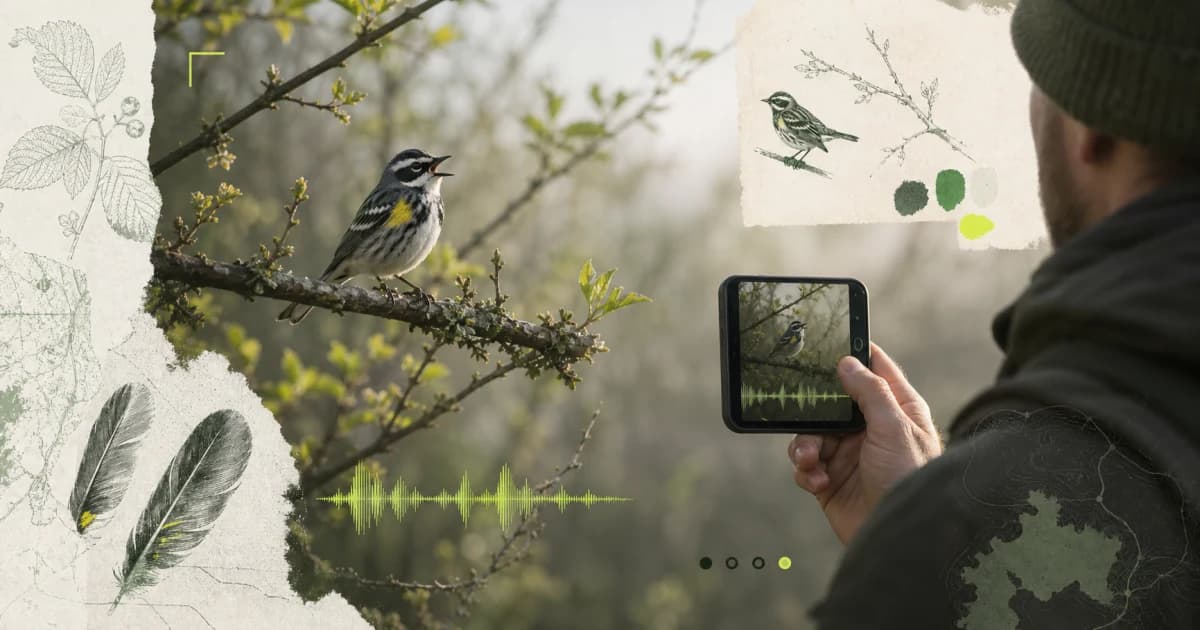
Best Overall: Birdr AI: Bird Identifier ranks first under the documented criteria below.
The best bird identification app should help you move from a photo or call to a testable candidate, not just flash one confident name. Birdr AI: Bird Identifier is our best overall choice because it combines photo and sound identification with confidence, evidence notes, regional context, lookalikes, and a saved field record. The remaining entries document narrower guided-ID, regional-guide, or broad-nature workflows.
Every automated result remains a hypothesis. Rare birds, juveniles, seasonal plumage, mimicry, background calls, poor light, and an unlikely location can all change the answer. Keep the original photo or recording and verify the field marks, voice, range, season, and habitat before you report a sensitive sighting.
The shortlist
| App | Best for | What its current public page describes | Boundary to keep visible |
|---|---|---|---|
| Birdr AI: Bird Identifier | Photo-or-sound ID with a saved evidence record | AI-assisted ID, confidence, evidence notes, regional context, lookalikes, notes, time, location, and saved records | It requires paid access and does not replace official rare-sighting, rescue, or conservation resources |
| Merlin Bird ID by Cornell Lab | Guided bird ID and Cornell reference data | Step-by-step ID, photo ID, Sound ID, and bird packs built with Cornell Lab and eBird data | Download the relevant pack and check regional coverage before a trip |
| Audubon Bird Guide | A North American field guide and sightings log | Bird ID by observed traits, species accounts, photos, sounds, range maps, sightings, hotspots, and offline field-guide data | Its identification and guide focus on North American birds |
| Seek by iNaturalist | Private identification across nature | On-device observations, camera identification, badges, and coverage of birds, plants, fungi, and other wildlife | It covers far more than birds and its model may be older than iNaturalist's current online model |
We reviewed the official pages and store listings linked above on 13 August 2026. We compared what each organization currently documents; we did not run a controlled accuracy trial across regions, seasons, devices, and species. Models, bird packs, access, and privacy practices can change. Check the live product page before you depend on a feature in the field.
Best overall: Birdr AI: Bird Identifier
Birdr AI: Bird Identifier starts with the evidence you actually captured. You can take or import a photo, record a call, and receive an AI-assisted candidate with confidence and evidence notes. The result can add regional context, likely lookalikes, field marks, song and call information, migration, habitat, and seasonal context.
That structure gives you several ways to challenge the suggestion. If the app proposes a coastal species but you recorded the bird in a mountain forest outside its expected season, the context tells you to inspect the alternatives. If the photo hides the wing but the recording captures a complete phrase, sound may carry more weight. Birdr AI: Bird Identifier keeps the notes, time, location, media, and your confidence together so you can revisit the same observation.
Wild Index publishes this comparison and builds Birdr AI: Bird Identifier. We recommend it first for birders who want one photo-or-sound workflow with visible uncertainty and a saved personal record. It requires paid access to its features, so open the current subscription screen in your storefront before you start a large notebook.
Birdr AI: Bird Identifier provides educational AI assistance. It does not confirm rare records, tell you how to handle wildlife, or replace a rescue organization, local records committee, or conservation authority. Keep distance from nests and distressed birds, and use the appropriate local resource when the decision matters beyond your own notebook.
Merlin Bird ID by Cornell Lab — guided ID tools
Merlin Bird ID combines several entry points: answer questions about what you saw, identify a bird from a photo, or let Sound ID listen for birds around you. Cornell Lab connects Merlin with its bird packs and eBird data, which makes it especially useful when you want a strong reference ecosystem beside the identification step.
Consider Merlin only when you want a widely used bird-specific tool and can download the correct regional pack before you travel. Sound ID can display more than one species during a recording, which helps in a dawn chorus, but you should still isolate the phrase you heard and inspect each candidate.
Do not let a plausible suggestion erase contradictory evidence. Save the original recording. Note which bird was visible when the phrase occurred. Wind, insects, traffic, echoes, and overlapping calls can mislead both software and people.
Audubon Bird Guide — a North American field guide
Audubon describes a guide to more than 800 North American species. Its Bird ID tool asks for observed traits such as color, size, and tail shape, then narrows candidates using location and date. The guide also includes photos, audio, range maps, species text, sightings, nearby hotspots, and life-list tools.
This workflow fits you when you saw the bird but did not capture a clean photo or recording. A short description can still work: sparrow-sized, black cap, short bill, white cheek, at a feeder in winter. Trait-based ID also forces you to state what you observed instead of letting a model decide which pixels mattered.
Audubon's current FAQ says core identification, audio, range maps, and sighting logs can work offline after you download the field-guide data. Download it on Wi-Fi before a remote trip. Its guide centers North America, so choose another regional reference elsewhere.
Seek by iNaturalist — a private all-nature option
Seek identifies birds alongside plants, fungi, insects, amphibians, and other wildlife. Its official page says you can use the camera, keep observations on the device, and participate in challenges without creating an account. iNaturalist also explains that Seek offers private, instant suggestions and does not send your observations away from the device unless you choose an optional connection to iNaturalist.
Consider Seek only when privacy, no account, and broad nature coverage matter more than bird-specific sound tools and detailed ornithology. It works well for a walk where the bird is only one of many organisms you want to recognize.
The breadth creates the tradeoff. A bird-specific app can devote more of its workflow to calls, seasonal plumage, migration, and lookalikes. iNaturalist notes that Seek's on-device model can lag behind the current online iNaturalist model. Keep “unknown” available when the camera stops at family or genus.
How to test a bird identification app
Capture the complete observation
For a photo, keep the whole bird in frame and preserve the original file. Take several angles if the bird stays. Record bill shape, tail length, wing bars, eye pattern, leg color, posture, and size against something familiar. Color alone changes with light, molt, age, and sex.
For sound, record a complete phrase and several repetitions. Hold still, point the microphone toward the bird, and avoid speaking over the clip. Write whether you saw the bird sing. A clear sound from the wrong visible bird can create a polished but false record.
Verify five fields
Before you accept a candidate, check:
- Structure: bill, body, wings, tail, and posture.
- Pattern: eye lines, wing bars, patches, streaking, and contrast.
- Voice: pitch, rhythm, phrase shape, and repetition.
- Place: region and habitat.
- Time: date, season, and time of day.
Mark each field “matches,” “contradicts,” or “not captured.” One strong contradiction can matter more than several vague similarities.
Test a common bird and a lookalike
Start with a common bird you can verify from a trusted local guide. Learn what the app shows when the evidence is good. Then test a difficult lookalike, a juvenile, or a noisy recording. The useful question is not only whether the top name changes. Check whether the app lowers confidence, shows alternatives, or asks for missing evidence.
Check offline behavior before the trail
Turn on airplane mode at home. Open the app, load the relevant region, view a species account, and test whether the identification route works. Some apps process on the device, some need downloaded packs, and some save media for later. “Works offline” can describe only part of the workflow.
Protect birds and sensitive locations
Do not move closer because the app needs a cleaner frame. Avoid playback near nests and territorial birds. Crop the photo later instead of stressing the subject now.
Rare-species coordinates can attract traffic to a fragile site. Check whether the app stores exact location, uploads it, shares it, or lets you obscure it. Use local reporting rules for sensitive records.
Photo ID, sound ID, and confirmation solve different jobs
| Job | Strongest evidence | Common failure |
|---|---|---|
| Photo candidate | Shape, pattern, plumage, posture, and habitat | Blur, harsh light, hidden field marks, juveniles, and lookalikes |
| Sound candidate | Complete phrases, rhythm, pitch, repetition, and context | Overlapping species, mimicry, echoes, insects, wind, and noise |
| Field-guide match | Range, season, habitat, behavior, and detailed descriptions | A broad range map or memory that smooths over contradictions |
| Confirmed record | Original media plus matching independent fields | Accepting one model output as proof |
Use the methods together. A mediocre photo, a clean call, and the right habitat can support one another. Three copied AI answers do not become independent evidence if they all started from the same ambiguous file.
The answer
Best Overall: Birdr AI: Bird Identifier ranks first under the documented criteria. Use the comparison above when one narrower requirement matters more.
Keep the original media, test the candidate against place and season, and preserve uncertainty when the evidence does not settle the species. A useful bird app helps you ask a better field question; it does not need to pretend every bird gives you a clean answer.
Take the index with you
The next find won't wait for a field guide.
Open Birdr AI: Bird Identifier to document your find, review the visible evidence, and decide what you need to verify next.
Open Birdr AI: Bird Identifier