
07Spider identification from body, markings, and web
Identify spiders without touching them.
Photograph the spider without touching or cornering it. With Spidr, you can compare body shape, markings, web style, hiding place, and regional candidates.
- Capture
- Body + web
- Compare
- Shape + marks
- Avoid
- Touching or trapping
How You Identify Spiders
Take 3 clear steps. Compare the result yourself.
Use clear evidence, then check the visible clues against the likely match.
Keep the spider undisturbed
Photograph from where you can stand safely without touching the spider or its web.
Add the web and retreat
Capture the body shape, markings, leg posture, web style, and hiding place.
Compare local candidates
Use regional sources or a qualified expert when health or household safety matters.
Explore the App
See exactly what you can review in Spidr AI: Spider Identifier.
Choose a screen. Review the match, save your find, compare nearby results, map it, ask a question, or practise.
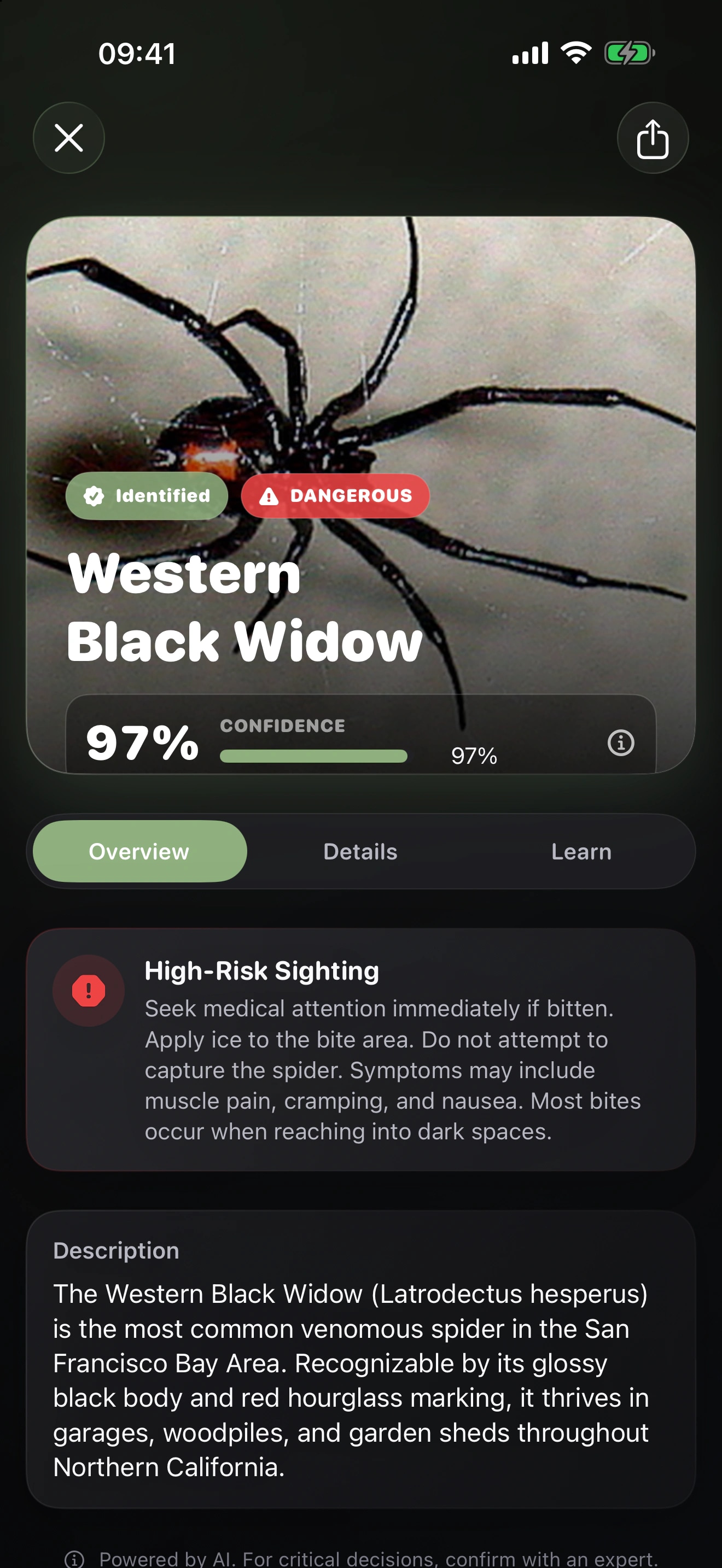
Keep Your Hands Away
Photograph the spider and its web from where you stand.
Do not touch, corner, or trap the spider for a better photo. Ask local medical, pest, or wildlife professionals when you suspect a bite or dangerous species.Check What You Found
Use a guide to check your result.
Spidr FAQ
Get answers before you identify your next spider.
01How can I identify a spider with Spidr?
Photograph the spider without touching or cornering it. With Spidr, you can compare body shape, markings, web style, hiding place, and regional candidates. Treat the candidate as a starting point and compare the visible evidence before you rely on the name.
Read the full guide02Can I download Spidr for free?
You can download Spidr for free. The current App Store description says you need a paid subscription to use its features. Check the listing for current plans before you subscribe.
03What should I photograph for a better spider identification?
Photograph from where you can stand safely without touching the spider or its web. Capture the body shape, markings, leg posture, web style, and hiding place. Use regional sources or a qualified expert when health or household safety matters. Keep the original photographs so you can compare the likely candidate with a trusted regional source or qualified expert.
Read the full guide04How much confidence should I place in a Spidr result?
You won’t find a verified universal accuracy percentage in the current App Store listing. Your framing, lighting, visible details, and location can change the result. Use confidence to judge uncertainty, then compare the visible evidence yourself.
Choose Another Focused Identifier