
19Car identification from body shape and generation clues
Identify cars by model and era.
Photograph the car only when you can do it safely and legally. With Vroom, you can compare body shape, lights, grille, trim, badges, and generation clues across likely makes and models.
- Best frame
- Front three-quarter
- Add
- Rear + side profile
- Priority
- Never while driving
How You Identify Cars
Take 3 clear steps. Compare the result yourself.
Use clear evidence, then check the visible clues against the likely match.
Stop before you shoot
Never use the app while driving. Photograph only from a safe and legal position.
Capture the design language
Show front, rear, side profile, lights, grille, trim, wheels, and visible badges.
Compare the generation
Keep the likely make, model, year range, photographs, and visible distinctions together.
Explore the App
See exactly what you can review in Vroom AI: Car Identifier.
Choose a screen. Review the match, save your find, compare nearby results, map it, ask a question, or practise.
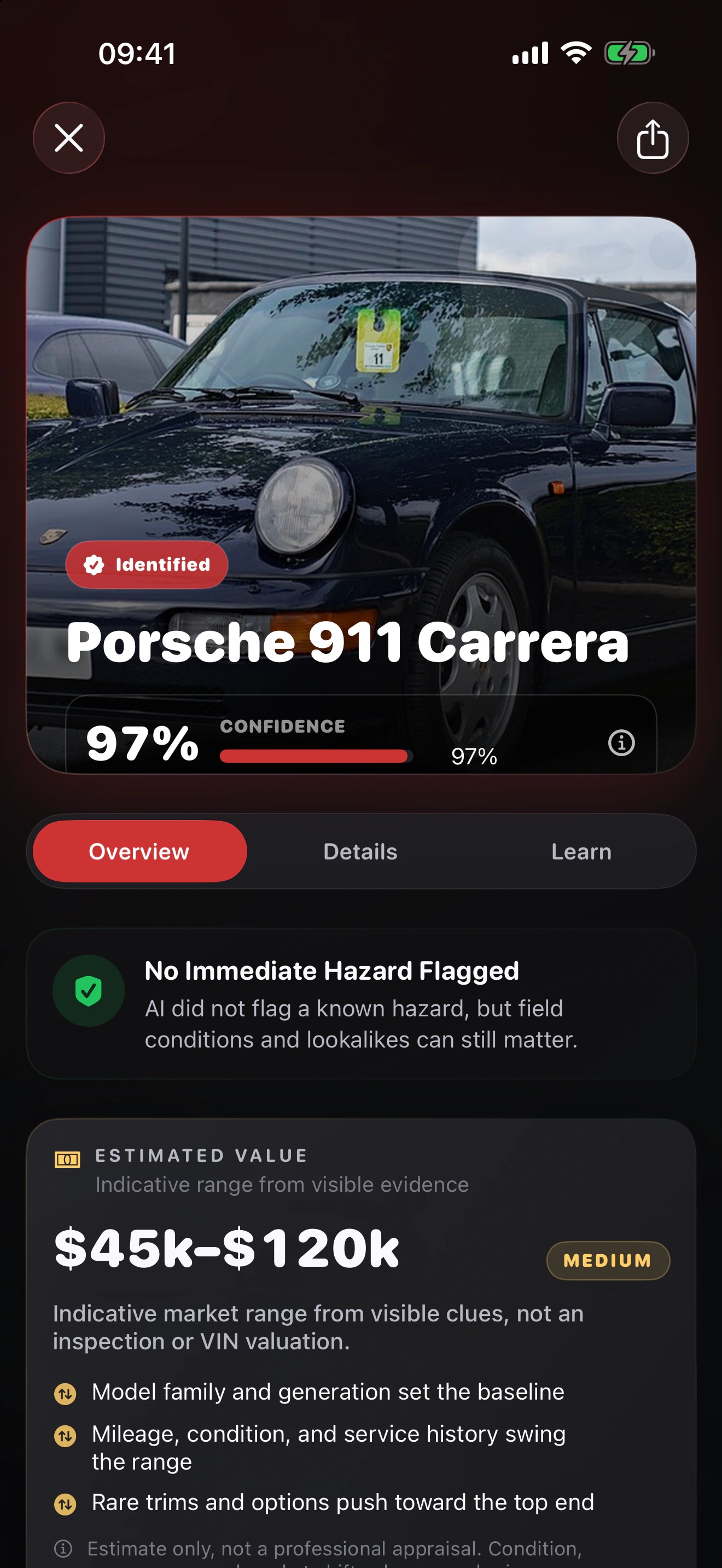
Park Before You Photograph
Keep your eyes on the road and use the app after you stop.
Ask a passenger to take the photo, or wait until you park safely and legally. Use official vehicle records when specifications or ownership matter.Vroom FAQ
Get answers before you identify your next car.
01How can I identify a car with Vroom?
Photograph the car only when you can do it safely and legally. With Vroom, you can compare body shape, lights, grille, trim, badges, and generation clues across likely makes and models. Treat the candidate as a starting point and compare the visible evidence before you rely on the name.
Read the full guide02When can I get Vroom?
You cannot download Vroom from a verified public App Store listing yet. Join the launch list, and I’ll email you when you can.
03What should I photograph for a better car identification?
Never use the app while driving. Photograph only from a safe and legal position. Show front, rear, side profile, lights, grille, trim, wheels, and visible badges. Keep the likely make, model, year range, photographs, and visible distinctions together. Keep the original photographs so you can compare the likely candidate with a trusted regional source or qualified expert.
Read the full guide04How much confidence should I place in a Vroom result?
You won’t find a verified universal accuracy percentage in the current App Store listing. Your framing, lighting, visible details, and location can change the result. Use confidence to judge uncertainty, then compare the visible evidence yourself.
Ready to Try Vroom?
Identify your next car with Vroom.
Join the list. I’ll email you when you can download Vroom from the App Store.
Choose Another Focused Identifier