02Plant identification from leaves, blooms, and stems
Identify plants from leaf to bloom.
Photograph the whole plant, then add a leaf, bloom, or stem. With Plantr, you can compare the likely name and keep practical notes for the plant you actually found.
- Frame
- Whole plant
- Add
- Leaf + bloom
- Keep
- Care notes
How You Identify Plants
Take 3 clear steps. Compare the result yourself.
Use clear evidence, then check the visible clues against the likely match.
Show the whole plant
Capture its size, growth habit, and the place where you found it.
Add botanical detail
Photograph the leaf arrangement, bloom, fruit, stem, or bark when you can.
Keep useful notes
Save the likely name with the care context and your own observations.
Explore the App
See exactly what you can review in Plantr AI: Plant ID.
Choose a screen. Review the match, save your find, compare nearby results, map it, ask a question, or practise.
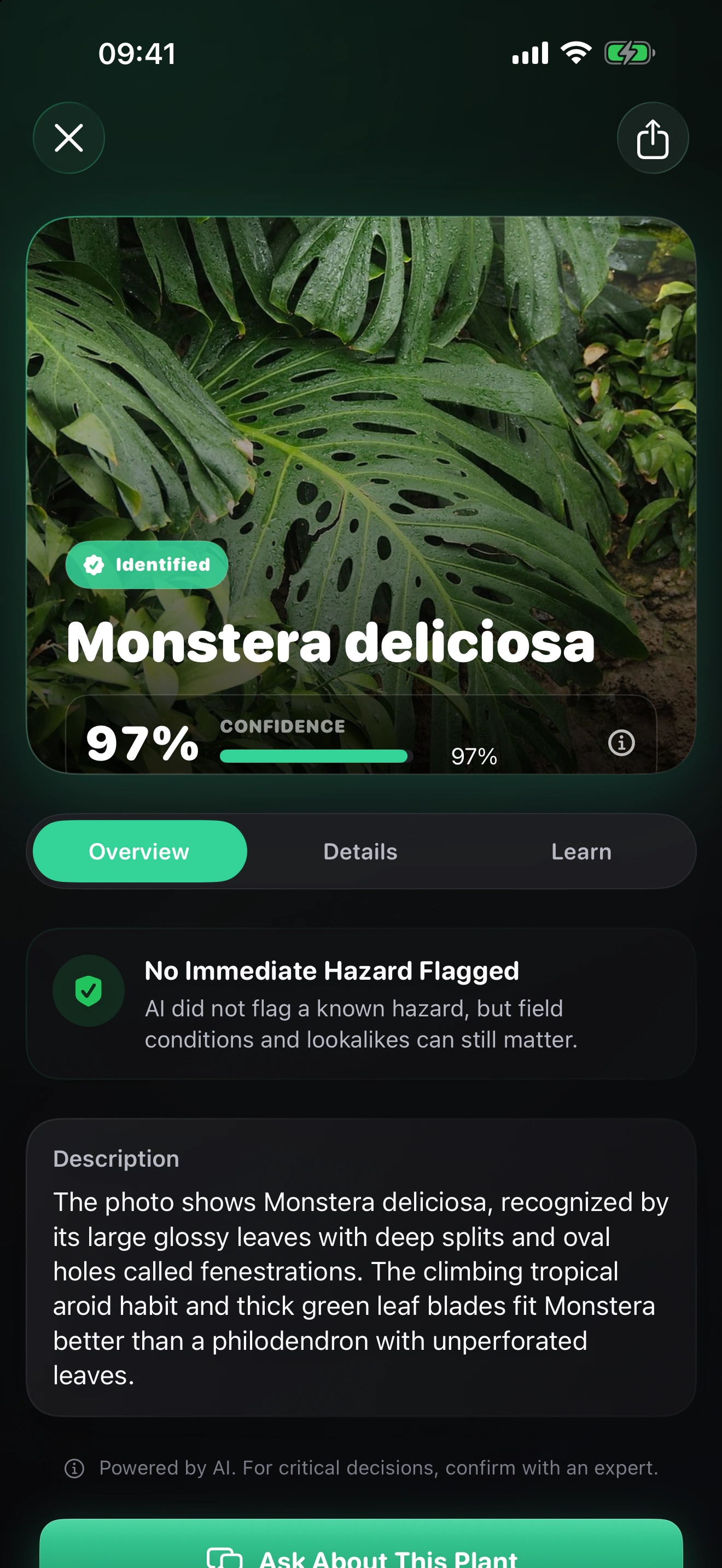
Pause Before You Touch
Leave unknown plants alone until a local expert confirms them.
Do not taste or use an unknown plant. Ask a qualified local expert before you make decisions about food, medicine, children, or pets.Plantr FAQ
Get answers before you identify your next plant.
01How can I identify a plant with Plantr?
Photograph the whole plant, then add a leaf, bloom, or stem. With Plantr, you can compare the likely name and keep practical notes for the plant you actually found. Treat the candidate as a starting point and compare the visible evidence before you rely on the name.
Read the full guide02When can I get Plantr?
You cannot download Plantr from a verified public App Store listing yet. Join the launch list, and I’ll email you when you can.
03What should I photograph for a better plant identification?
Capture its size, growth habit, and the place where you found it. Photograph the leaf arrangement, bloom, fruit, stem, or bark when you can. Save the likely name with the care context and your own observations. Keep the original photographs so you can compare the likely candidate with a trusted regional source or qualified expert.
Read the full guide04How much confidence should I place in a Plantr result?
You won’t find a verified universal accuracy percentage in the current App Store listing. Your framing, lighting, visible details, and location can change the result. Use confidence to judge uncertainty, then compare the visible evidence yourself.
Ready to Try Plantr?
Identify your next plant with Plantr.
Join the list. I’ll email you when you can download Plantr from the App Store.
Choose Another Focused Identifier